New · video to a projector, speed control and music generation
One buttonruns the whole show
OMS Player is a music and video player for live stage shows. Every track already knows how loud to come in, when to start, where to end, how to blend into the next one and what goes up on the projector — so during the show you press one button.
🎙 Your voiceCommands in ten languages, offline too
🎛 A pocket remoteAny Bluetooth clicker runs GO
🔒 Screen off / onPlayback and the remote keep going
Recorded straight from the app — the GO button, the playlist, the AI assistant and the pocket remote.
The core idea
You press GO. It handles the rest.
No cue sheets, no scrolling between tracks mid-show. And these are not three buttons — it is one GO button that changes by itself with the state of the show, so it always does the right thing:
GO
The same button shows GO
When a track is waiting to play. One press plays it — with its fade-in, its start offset and its pre-play delay.
NEXT ▶
The same button becomes NEXT
While a track is playing. One press fades it out cleanly and moves the show to the next one — no dead air.
⏱ 3
The same button counts down
During a delay or pause. The countdown runs on the button itself, and playback starts from exactly the point you chose.
A delay that waits, not cuts
Give a track a pre-play delay and GO waits that many seconds before the audio starts — counting down on the button — without trimming a single millisecond off the file.
Scrub without losing your place
Tap the waveform to seek, or drag along it to scrub and hear the audio while you move — so you can find a cue point by ear.
The original One Man Show Remote — the same GO, from your pocket
Per-song tuning
A settings page for every track
Every track carries its own show settings — set them once, and on stage it just plays right.
Volume, speed, fade-in and fade-out — per track, in milliseconds
Trim on the waveform: mark the second it starts and the second it ends
Auto-play, loop, cross-fade, a pre-play delay and a colour tag
A ▶ button beside each slider auditions the change while you edit
An image or video per track — shown on the projector over HDMI
AI artwork and per-song voice commands, in the same panel
Everything saves with the track — the next show opens ready
This is why the show needs only one button: every decision — how loud, where to start, how to end, what comes next — was already made here, before you went on stage.
A full pass through one track’s settings page. Drag the bar to scrub.
Pocket control
A button in your pocket runs the whole show.
On stage your hands are on an instrument and the phone is on a stand across the room. Any Bluetooth remote becomes your GO button — and your voice gets a whole section of its own, right below.
🎛
A Bluetooth remote
Any cheap Bluetooth clicker, page-turner or headset button pairs as a media remote — no setup inside the app. The system media notification does the same job from the lock screen.
The original One Man Show Remote — and any Bluetooth remote works just as well
⏭
GOFades the current track out and advances the show — the single button you press all night
▶
Play / PauseHolds the show where it is and picks it back up
⏮
Previous trackSteps back through the set without playing
⏹
StopKills playback immediately
A native playback engine owns the media session, so every one of these works with the app in the background and the screen off or on.
AI Director · 🎙
Say the word. The show follows.
The Director listens for your cue words, matches what it hears against your keyword rules, and fires the action — while the music is still playing and your hands are on an instrument.
🔌
Works without internet
Basements, gardens, halls with no signal — voice control keeps working with zero connectivity.
⚡
Reacts mid-show
The command fires while the music keeps playing — nothing stops, and nothing needs a tap.
🧑🎤
A one-man show, for real
No backstage assistant and no depending on anyone — the Director runs your cues for you, every night.
💸
Saves money every show
A sound tech costs money every single night. The Director comes with the app and never misses a cue.
🎓
Nothing to train
And when someone does lend a hand, there is nothing to teach — the rules are already set, and the show runs itself.
Under the hood, the Director is built for a noisy stage and a live crowd — not a quiet office.
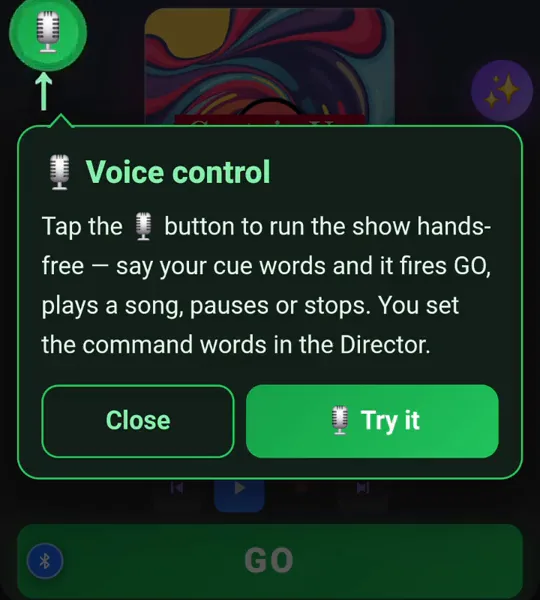
Straight from the app: one tap on the 🎙 button and the show runs hands-free.
🎧
Hears you over the music
Echo cancellation and adaptive thresholds mean commands still register while a track is playing out loud.
Two pieces of kit are required — a Bluetooth speaker and an external mic — so the app hears you, not the track. The setup wizard checks both.
✂️
Build a rule from real speech
In the Transcript tab, tap the words you actually said — even a multi-word phrase — and create a rule from them. It suggests similar-sounding variants so mis-hearings still fire.
📍
Global and per-track rules
A rule can apply to the whole show, or only while one specific track is selected — so the same word can mean different things in different moments.
AI Smart Edit · ✨
Ask for anything. The set updates.
Setting up a set used to mean opening thirty tracks one by one. Now you write one sentence in your own language and the whole playlist updates.
“Set every track to fade out over 2 seconds”✓ 24 tracks updated
“Copy all the red tracks into a new playlist called Kids Show”✓ Playlist created · 9 tracks
“Add a voice command ‘applause’ that does GO”✓ Rule added
“Reverse the playlist and move track 5 to the top”✓ Reordered
“Give every track without a cover an AI one”✓ 7 covers generated
“Drop every yellow track’s volume to 50%”✓ 6 tracks updated
🖼
Album art on demand
No cover for a track? Generate one from the track name, or point the assistant at a whole playlist and let it fill the gaps.
↩️
Undo any edit
The clock icon keeps your recent prompts with a Restore button beside each one — so a bulk edit that went the wrong way is one tap from being undone.
🎼
It composes music too
Ask for a new piece and a short wizard opens — purpose, style, tempo, length — then the app composes an original instrumental and drops it straight into your playlist.
💬
It answers questions too
Ask about the set (“what is the first track?”, “how many tracks loop?”) and it answers without changing anything. If a request is ambiguous it asks, and offers ready-made answers you can tap.
⏹
Stoppable, always
Every action shows its progress, and Cancel stops it immediately.
Everything else
Built by people who have run a show
Every control exists because something went wrong on a stage once.
✎
Track editor
Trim on the waveform by marking the second it starts and the second it ends — no other software needed, loops included. Fade in and out in milliseconds. A delay before playback that waits without cutting audio. Loop, auto-play, per-track volume and a colour tag.
⏩
Change the speed, not the pitch
From 0.7× to 2×, with the pitch left alone — the app stretches time, not tone, so a track you speed up is the same track, just shorter. A ▶ button beside the slider auditions it while you edit, without disturbing the show.
🔀
Cross fade
The outgoing track falls as the incoming one rises, so there is no gap of silence between cues. Two seconds by default — and the length comes from the track that is ending, which is the one to edit if a transition sounds wrong.
🎵
Playlists per show
A playlist per event, switched from the bottom bar with live track counts. Duplicate a set for tomorrow's venue and tweak only what changes.
💾
Backup that actually moves
One zip holds every track, playlist, cover, voice rule and setting. Save it to Drive, restore it on another device, and the whole rig is back exactly as it was.
🔒
Background & lock screen
A native playback engine keeps audio running when the app is backgrounded or the screen is off, with full media-notification control.
⏱
Floating show timer
A draggable stopwatch you can park anywhere on screen, so you always know how long you have been on.
🎨
Three themes
Dark Blue, Purple Night and Cobra — all dark, all built to stay readable under stage lighting and not blind you in a dark room.
🎛
Works with any Bluetooth remote
Any clicker, page-turner or headset button pairs as a media remote — nothing to set up. Its NEXT key is already mapped to GO.
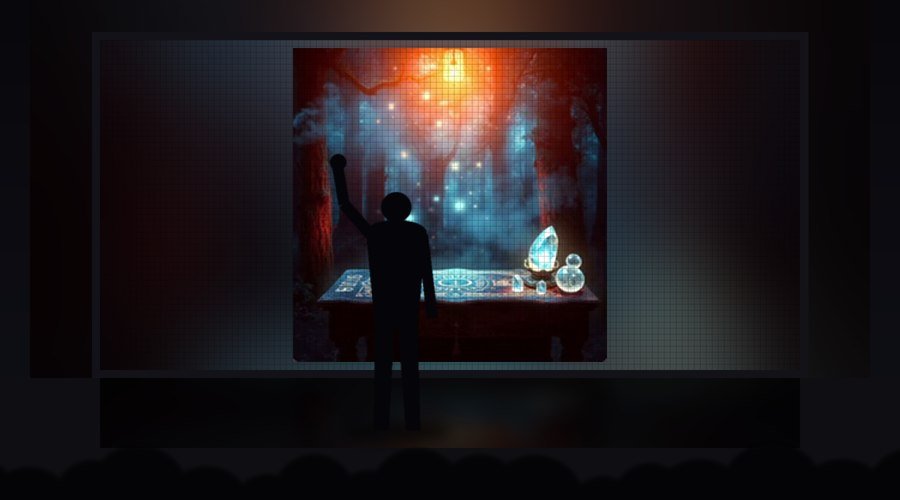
And when the stage is big — the same cable feeds a giant LED wall behind the performer.
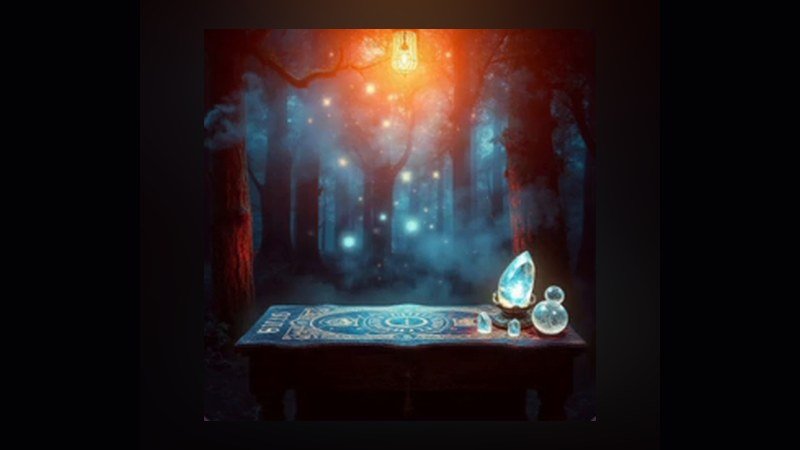
What the audience sees: the current track’s artwork, image or video — full screen.
We thought of everything
A projector or a TV — one cable
Plug a USB-C to HDMI cable into the phone, switch the external display on in settings — and from that moment the audience has a screen of its own, run by the same GO button as the music.
Attach a video or an image to any track — it fills the big screen the moment that track plays
No video? The screen shows the track’s artwork — or a default image you chose. It is never blank
On every GO the picture cuts sharp, while the music keeps cross-fading underneath
The phone keeps showing the player — the big screen gets its own feed
Works with any screen that takes HDMI — a hall projector, a bar TV, an LED wall at an event
This is how a one-man show looks like a full production: the audience watches a screen that always shows the right thing, and nobody is operating it.
We thought of everything
Ten languages — and the AI speaks them all
The whole app is fully translated into ten languages — and that includes every one of the AI systems, not just the buttons.
The Director understands your voice commands in the language you chose
Smart Edit takes requests — and answers — in that language
The music wizard, the settings, the explanations — everything switches together
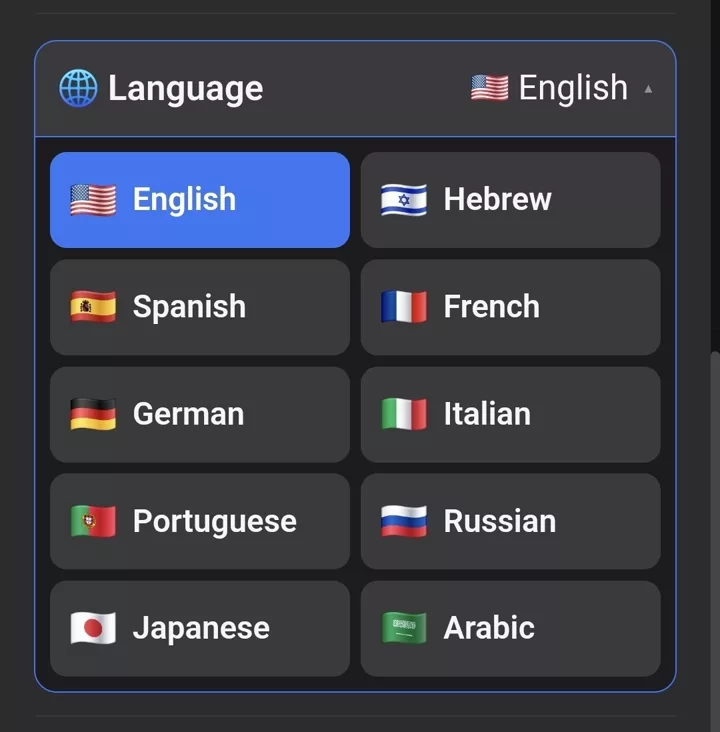
Pick a flag on the first screen and the entire interface switches immediately
The language picker — a real capture from the app’s first screen.
A composer in your pocket
AI music generation
Need an opener, a drumroll, a transition or background music? Answer a few short questions and the app composes an original piece for that exact moment in the show.
Purpose, style, tempo and length — or a free description in your own words
Add lyrics and the piece is sung by a real-sounding voice
The result lands straight in the playlist, ready for GO
Every piece you generate is yours to keep. It saves into the playlist like any other track — so you can trim it, speed it up, loop it and give it artwork, exactly like the songs you brought with you.
Two real takes, uncut: the wizard, the generation at 20× speed, then the finished song playing — sung by a real-sounding voice. 🔇 turns the sound on.
Uncut
The app in action
Two minutes of a real set, exactly as it runs on stage — no edits, no staging.
GO advances, NEXT blends, and the countdown runs on the button itself
Clean cross-fades between every cue — no dead air
AI-generated artwork on every track
What you see is what you get: the same GO, the same cross-fades and the same artwork are waiting in the app — ready to run your own first show tonight.
🔇 for the show’s sound; drag the bar to scrub back.
Pricing
14 days free. Then one simple subscription.
Try the complete app free for 14 days (with a limited credit allowance). After that it is a monthly subscription (see the price in the store) — with enough credits included even for heavy use. And everything keeps working with no internet at the venue.
Free trial — 14 days
The complete app, no commitment
The complete player — GO, fades, trim, delay, loop, speed, cross fade
Unlimited playlists and tracks
Video playback and the external projector display
Voice control, the AI Director and a Bluetooth remote
A limited credit allowance for trying the cloud features
Subscription
Monthly subscription
Everything — with credits for heavy use
Everything in the trial, with no time limit
A monthly credit balance sized for heavy cloud use
Cancel any time through the store subscription
Settings → 🤖 AI credits always shows how much is left today, how much is left this month, and when the balance renews.
FAQ
Before you ask
Do I need internet during a show?
No. Playback, transitions, video and voice control all work in airplane mode. Only music generation and the other cloud features need a connection.
What does voice control need to work?
A Bluetooth speaker and an external microphone — a USB-C receiver, a headset, or a Bluetooth mic. Without separating the music from the mic, the app hears the track itself and fires cues mid-show, so the setup wizard checks for both before letting you continue. Also: pick a code word you never say on stage. “Banana” is excellent. “Okay” will wreck your show.
What happens if the phone locks mid-track?
The music keeps playing. You can also control it from the media notification or a Bluetooth remote.
A track comes in too loud or too quiet
That is the track's saved volume. Open it in the editor and fix it — it stays fixed. If a transition between two tracks sounds abrupt, check that cross fade is on for the track that is ending, and that the next track has Auto Play on.
Which Bluetooth remote works?
Anything that pairs as a standard media remote — a cheap presentation clicker, a page-turner pedal, a selfie-stick button, or the button on a Bluetooth headset. There is nothing to configure in the app: its NEXT key is already mapped to GO.
Do I need my own AI key?
You can bring your own OpenAI or Claude key and set it in Settings — it is stored only on your device. Every device also starts with included AI credit and Director time so you can try the features before deciding.
Can I move my whole setup to a new device?
Yes — create a backup, move the single zip file across, and import it on the new device. Tracks, covers, voice rules and settings all come across.
Can I use two devices?
The licence is per device. For a second device, get in touch and we will sort it out.
Your next show can run itself.
Install it, load one set, and give the GO button a night on stage.